
A hollow-shaft magnetic encoder measures rotary position while leaving the center of the shaft open for a cable, optical path, or other mechanical components. This guide explains how the magnetic sensing system works, what the rotor and sensor do, and how to assemble the parts without compromising alignment or signal quality.
How does a hollow-shaft magnetic encoder work?
A hollow-shaft magnetic encoder combines a through-bore mechanical layout with magnetic rotary sensing. The measured shaft passes through the center of the encoder or target ring. As the shaft turns, a magnetic rotor or multipole ring moves relative to a stationary sensing element. The sensor reads changes in the magnetic field; signal-conditioning and processing electronics then produce the specified output.
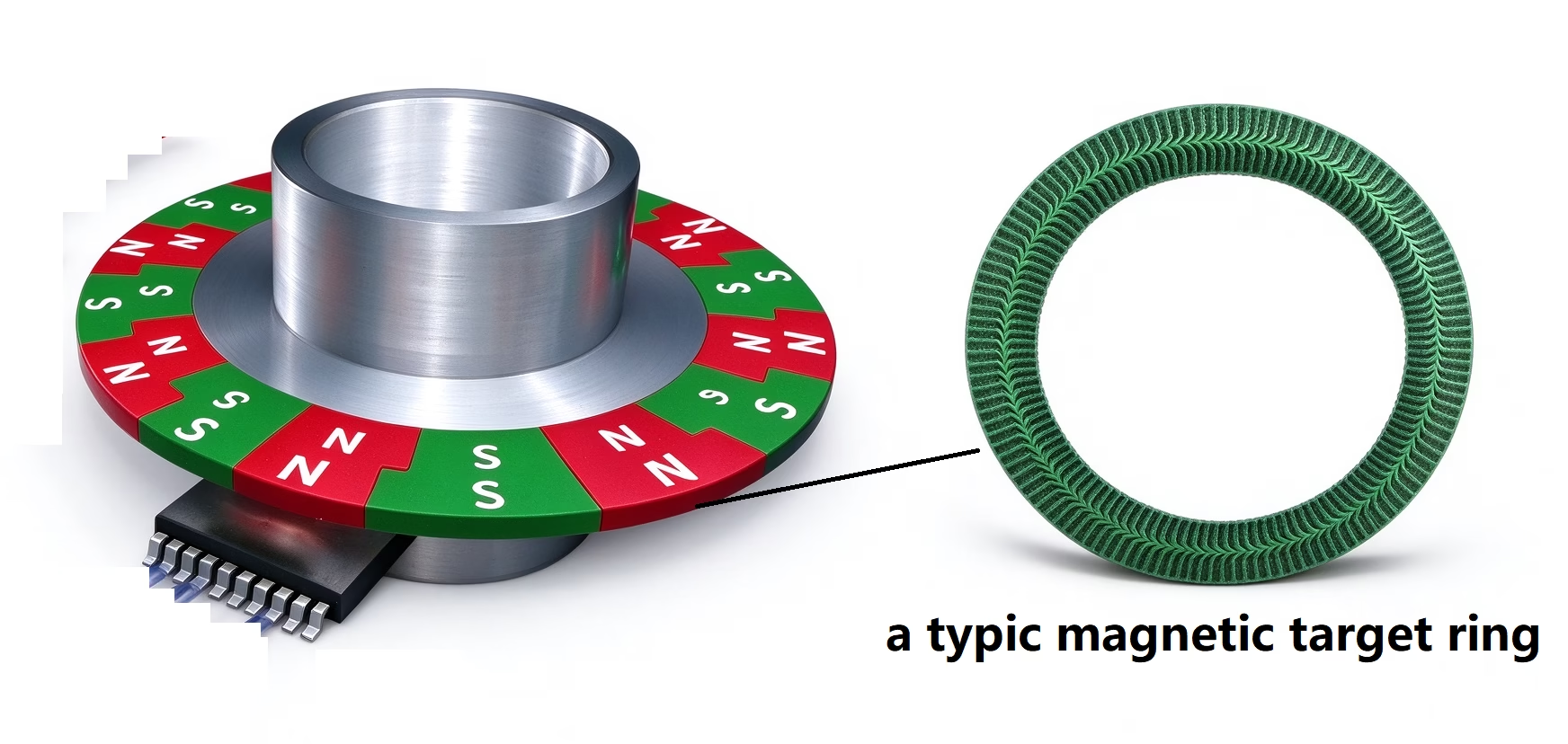
The main parts
- Hollow shaft or bore: The mechanical opening through which the measured shaft or other components pass. The bore size and fit must match the selected assembly.
- Magnetic rotor or target ring: Attached to, or rotating with, the shaft. Depending on the design, it may use a diametrically magnetized magnet or a ring with alternating magnetic poles.
- Stationary sensor: A Hall-effect or magnetoresistive sensing element detects the changing magnetic field. Its position relative to the magnetic target is set by the encoder design.
- Signal-processing electronics: Convert the sensor response into the required output. Depending on the model, the output may be incremental or absolute and may use different electrical interfaces.
The through-bore describes the mechanical arrangement; it does not by itself define whether the encoder is incremental or absolute. That depends on the magnetic pattern, sensor, and electronics. Likewise, radial or axial magnetization and the sensor orientation are design-specific.
From magnetic field to rotary position
- The target rotates. The magnetic rotor is mechanically coupled to the shaft, so its pole pattern moves as the shaft turns.
- The sensor detects a changing field. Hall or magnetoresistive elements respond to the magnetic field at the sensing location.
- The electronics interpret the signal. Signal conditioning and angle processing turn the sensor response into position information. An incremental system reports changes in position; an absolute system reports an encoded angular position according to its design.
- The controller receives the output. The encoder sends position, speed, or direction data using the interface and output format specified for that model.
In an off-axis arrangement, the sensing elements read a magnetic ring from a defined position beside or around the shaft. The exact magnetic geometry and sensor spacing are important: a generic gap value should never be substituted for the selected encoder’s drawing.
How to assemble a hollow-shaft magnetic encoder
There is no single assembly procedure for every hollow-shaft encoder. Some products use a separate magnetic ring and readhead; others use an integrated housing, clamp, or adapter. Use the model-specific drawing and installation guide for bore fit, air gap, runout, fastener torque, and cable connection. The sequence below is a practical checklist, not a substitute for those limits.
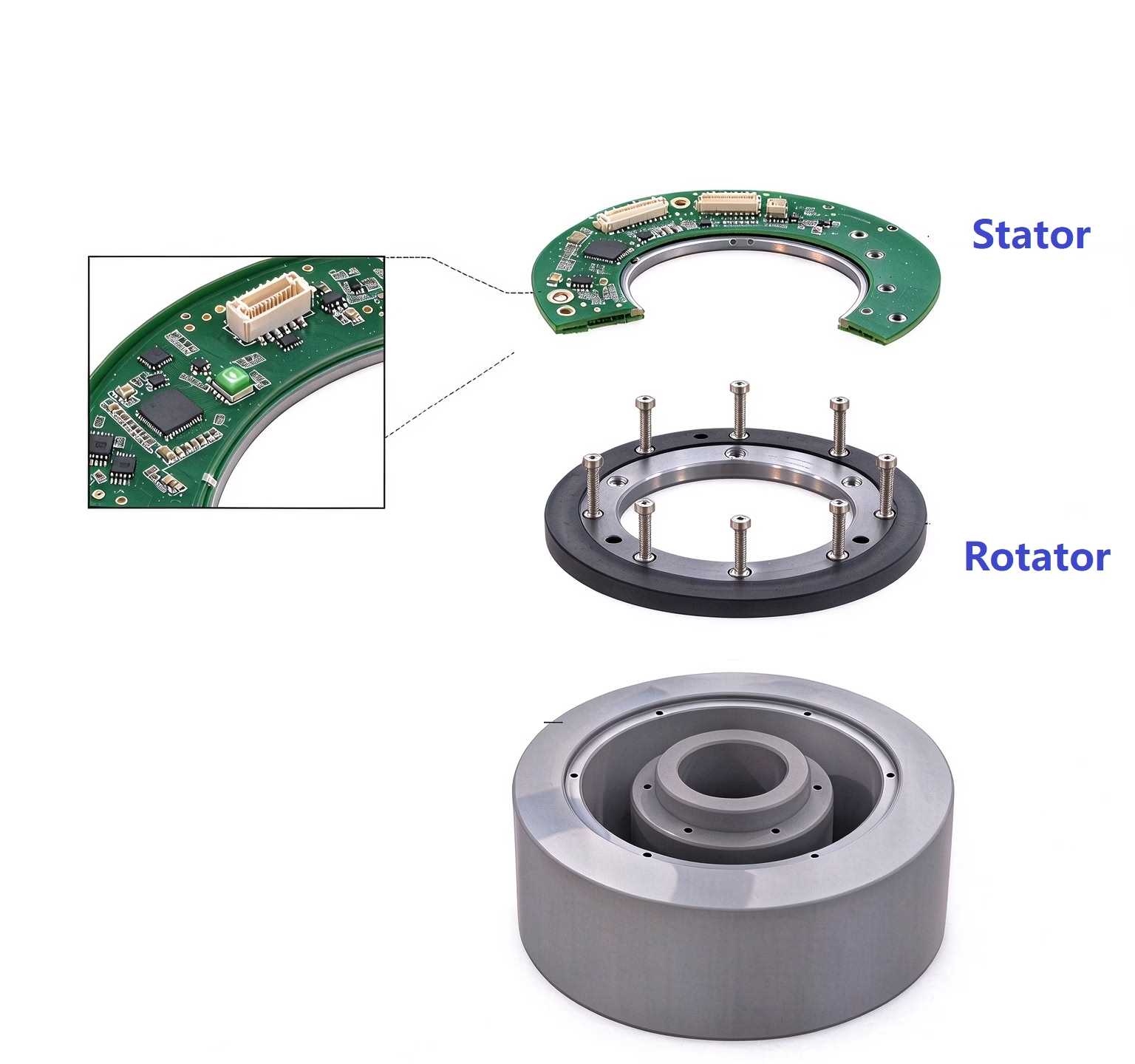
1. Confirm the parts and drawing
Check the encoder model, shaft or bore diameter, magnetic target, sensor or readhead, mounting bracket, fasteners, cable, and electrical interface. Review the specified air gap, allowable radial and axial runout, alignment tolerances, and tightening torque before installation.
2. Prepare the shaft and mounting surfaces
Power down the machine and secure the shaft against unintended movement. Clean the shaft and mounting faces. Remove burrs and debris that could prevent seating or damage a bore, clamp, or magnetic ring. Do not force the encoder onto a shaft that does not fit freely as specified.
3. Fit the rotating target
Install the magnetic rotor or encoder body in the orientation shown on the drawing. Use only the specified locating features, clamp, adapter, or fasteners. Keep the magnetic target clean and avoid impact, excessive bending, or unapproved machining. If the assembly includes a separate ring and shaft, verify that the ring is concentric with the rotation axis and secure against slip.
4. Position and secure the stationary sensor
Mount the sensor or readhead to the stationary structure and set its position relative to the magnetic target. Maintain the specified sensing gap and angular alignment throughout a full rotation. Do not assume that the sensor should touch the ring or that a gap from another encoder model will apply.
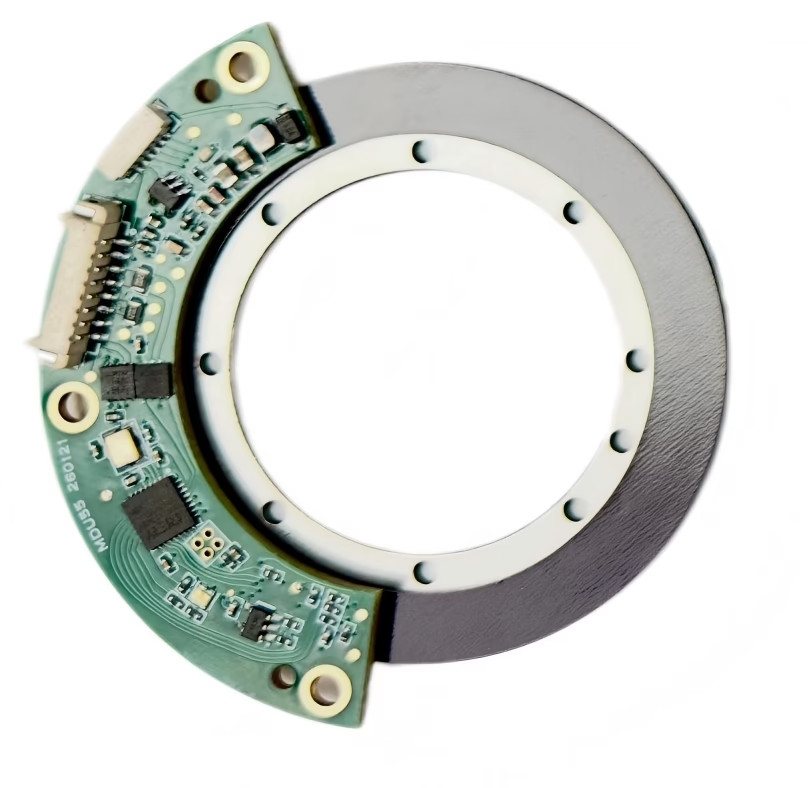
5. Tighten fasteners and route the cable
Tighten fasteners to the value specified by the manufacturer. Support the cable and provide strain relief so it cannot pull on the sensor or rub against rotating parts. Route signal wiring according to the encoder and controller instructions, with suitable separation from motor and switching-power wiring where the installation requires it.
6. Check rotation and verify the output
Before applying power, rotate the shaft slowly by hand if the machine design allows it. Check for interference, contact, or a changing gap. Then power the system and confirm the expected direction, output format, resolution, reference or zero behavior, and position data using the controller diagnostics or suitable test equipment. Verify the signal across the intended operating range after mechanical checks pass.
Assembly dimensions that affect encoder performance
| Check | Why it matters | What to confirm |
|---|---|---|
| Shaft and bore fit | A poor fit can introduce eccentricity or allow the target to slip. | Shaft diameter, clamping method, engagement length, and approved adapter. |
| Concentricity and runout | Variation through a revolution changes the sensor-to-target relationship. | Radial/axial runout and mounting datum limits from the selected drawing. |
| Sensing gap and alignment | The sensor must read the intended magnetic field across the full rotation. | Specified gap, sensor orientation, tilt, and clearances. |
| Electrical interface and environment | Incorrect wiring or routing can produce missing, noisy, or invalid readings. | Supply, output protocol, cable/shield instructions, speed, temperature, and nearby magnetic sources. |
Mechanical alignment for iC-MU magnetic encoder systems
The following installation figures apply to the iC-Haus iC-MU family (including iC-MU, iC-MU150, and iC-MU200) and should be treated as device-specific design guidance. They are not universal limits for magnetic encoders. Confirm the exact package, magnetic target, register settings, and current datasheet or application note for the selected part before releasing a design.
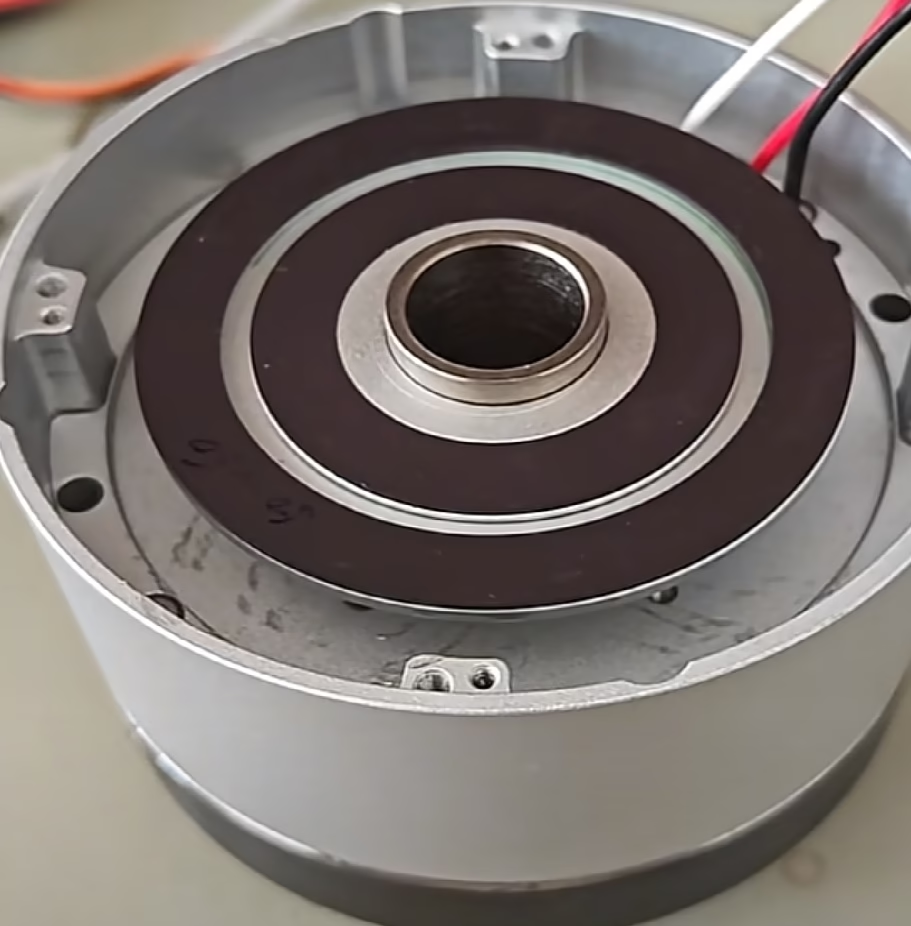
Chip, PCB, and scan geometry
For the package variants described in the iC-MU documentation, the Hall-array position relative to the backside-pad center is specified within approximately ±0.10 mm, with an angular tolerance of about ±1°. The PCB layout and mounting features must preserve the intended sensor position; package alignment tolerance does not compensate for errors in the board, bracket, or magnetic target.
Define three centers in the mechanical drawing: the shaft axis, the poledisk center, and the chip center. The scan orientation is configuration-dependent: LIN=0 is used for axial scanning, while LIN=1 is used for radial/linear scanning. Check the selected device documentation and magnetic pattern before setting this register.
Gap, field strength, and sensor positioning
- Air gap: A typical starting geometry is around 0.4 mm from the package surface to the magnet surface, accounting for the sensing element’s roughly 400 µm depth inside the package. This is a reference value, not a substitute for the specified magnetic field at the die.
- Magnetic field: Keep the field at the sensor within the documented operating range, approximately 15–100 kA/m (about 18.7–125 mT in air, depending on the stated convention). Verify this at the sensing location with the selected magnet and gap.
- Radial offset (TOLrad): The cited setup permits adjustment of about ±0.5 mm. Radial adjustment can help bring the master-track sine/cosine phase relationship toward 90°.
- Tangential offset (TOLtang): The cited setup permits adjustment of about ±0.5 mm. Tangential adjustment can help optimize signal balance; verify the effect in the measured waveforms.
Runout and pole-pair count
The allowable radial eccentricity between the poledisk center and the actual shaft axis depends on the configured master-period count (MPC). The cited limits are approximately 0.06 mm for MPC 16 (0x4) and 0.10 mm for MPC 32 (0x5) or 64 (0x6). Treat these as limits for the documented configuration; confirm the exact tolerance table for the chip, magnetic target, and operating mode in use.
To reduce edge-field degradation, the physical disk or ring outer diameter is generally recommended to exceed the calculated scan diameter by roughly 3 mm, subject to the target design and its specified pole geometry.
Protecting master–nonius phase margin
Radial eccentricity, mounting tilt, and stress introduced by the PCB or package can shift the relative phase of the master and nonius signals. If the phase relationship falls outside the permitted window, initialization may report a NON_CTR error; the absolute-position system may then fail to establish a valid reading after power-up. Check concentricity, flatness, sensor gap, and board stress together, then review the master and nonius waveforms during calibration.
For high pole-pair counts such as MPC 64 (0x6), the cited guidance favors the smaller DFN16-5×5 package over QFN48-7×7 where the design allows, because the smaller package can reduce PCB-induced mechanical stress and help preserve nonius phase margin. Package choice still depends on the complete electrical, thermal, assembly, and layout requirements.
Practical check: Before calibration, verify the shaft and poledisk concentricity, sensor-to-magnet gap across a full revolution, sensor orientation, PCB flatness, and field strength. Then confirm clean master/nonius signals and a valid absolute-position initialization. Use the current iC-Haus data sheet and application notes as the controlling source for final tolerances.
Calibrating an iC-MU magnetic encoder
Once the magnetic target and sensor are mechanically aligned, calibrate the signals before accepting absolute-position performance. Calibration should start from a stable, repeatable setup: secure the encoder, confirm the required air gap and field strength, and rotate the target smoothly in one direction through complete revolutions.
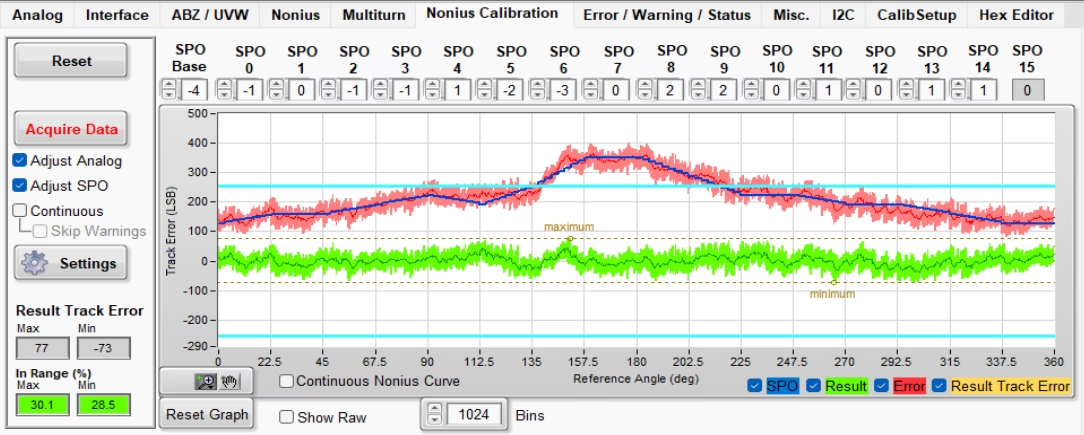
- Check the raw signals first. Review master and nonius sine/cosine waveforms over a complete revolution. Look for clipping, dropouts, sudden phase changes, or angle-localized disturbances before changing calibration values.
- Stabilize rotation. Use smooth, constant-speed motion. A practical starting point is around 30 rpm; many bench setups work in the 10–60 rpm range. Avoid excessive speed during calibration, and follow the selected chip, adapter, and GUI instructions.
- Run analog calibration. Use the supported calibration tool or documented procedure to adjust signal amplitude/gain, offsets, and phase balance. Recheck the waveforms after each change so mechanical problems are not hidden by compensation.
- Calibrate master–nonius synchronization. If the device configuration requires it, complete the documented nonius/SPO adjustment and confirm that the phase relationship and status flags remain valid throughout rotation.
- Save and verify. Write the approved settings to the intended memory, then power-cycle and reread the sensor. Repeat the full-turn check and confirm stable single-turn position, status, and any required multiturn behavior.
If calibration reports a centering or nonius error, revisit concentricity, tilt, sensing gap, PCB/package stress, and magnetic field before repeatedly tuning registers. Use the current iC-Haus GUI, application note, and device-specific limits as the authority for register values and acceptance criteria.
Common hollow-shaft magnetic encoder problems
- Position fluctuates once per revolution: Check target concentricity, shaft runout, sensor gap variation, and mounting-face alignment.
- Intermittent or missing counts: Confirm the gap and sensor orientation, inspect wiring and connectors, and verify that the controller is configured for the encoder’s output type.
- Absolute position is incorrect after installation: Confirm the target orientation, reference or zero procedure, protocol settings, and any model-specific calibration requirements.
- Encoder rubs or binds: Stop operation and check mechanical clearances, shaft fit, bracket position, and fastener seating before powering the system again.
- Noise increases near the motor: Review cable routing, shielding, grounding, and the installation’s magnetic environment against the sensor and controller documentation.
What to specify when selecting a hollow-shaft magnetic encoder
Before choosing a hollow-shaft rotary encoder, gather the through-bore diameter, available outer diameter and axial space, shaft speed, required resolution or accuracy, incremental or absolute output, electrical interface, supply voltage, operating temperature, and environmental conditions. For a separate magnetic ring and sensor, also define the ring dimensions, pole pattern, sensor location, installation gap, and allowable runout.
For large openings or rotating tables, compare the mechanical envelope and mounting approach with a rotary table encoder. If the design uses a separate magnetic rotor, review the magnetic rings and encoder disks collection. For OTV’s off-axis hollow-shaft magnetic encoder options, see the OTV OME Series. Designs comparing magnetic sensing with inductive sensing can also review hollow inductive encoders.
Frequently asked questions
Does a hollow-shaft encoder measure the shaft directly?
The shaft provides the mechanical rotation. The encoder measures the movement of its magnetic target relative to the sensor. The target must be correctly coupled to the shaft so it follows the shaft without slip.
Is every hollow-shaft magnetic encoder absolute?
No. Hollow-shaft describes the mechanical opening. An encoder may provide incremental or absolute position depending on its magnetic target, sensor, and processing electronics. Confirm the output type in the model specification.
Can I use a generic air-gap value during installation?
No. The allowable gap depends on the magnetic target, sensor, and encoder design. Use the model-specific drawing and verify the gap across a full revolution.
What should I do if the encoder output is unstable?
Start with the mechanical installation: check fit, runout, target retention, sensor gap, and alignment. Then verify wiring, supply, interface configuration, and the installation environment. Change one variable at a time and compare measurements with the encoder’s specifications.
Explore OTV Sensing encoder series
Compare related rotary encoder and magnetic target options by sensing principle, mechanical envelope, and integration approach.
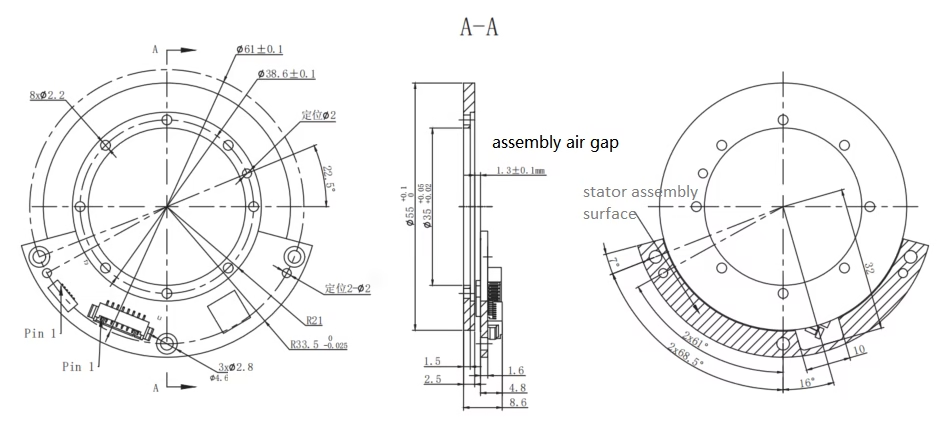 OTV OME SeriesOff-axis absolute magnetic encoders for compact hollow-shaft rotary designs.Explore OME Series →
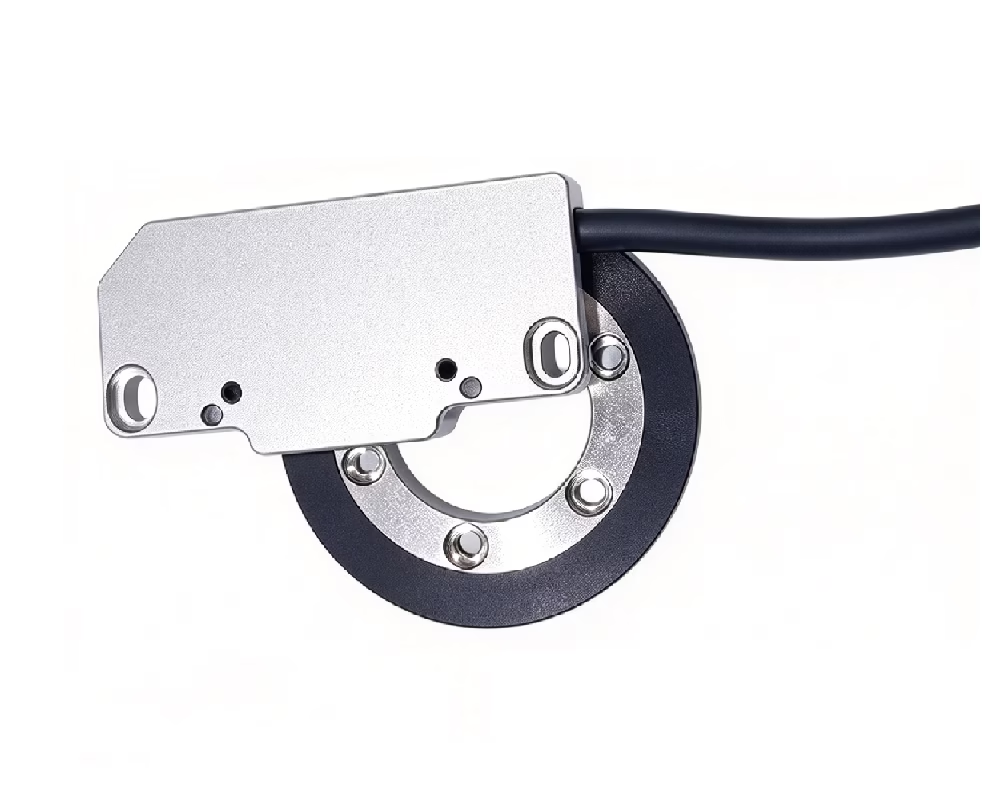 OTV OMEC SeriesThin, hollow-bore absolute rotary encoders with a streamlined mechanical package.View off-axis encoder options →
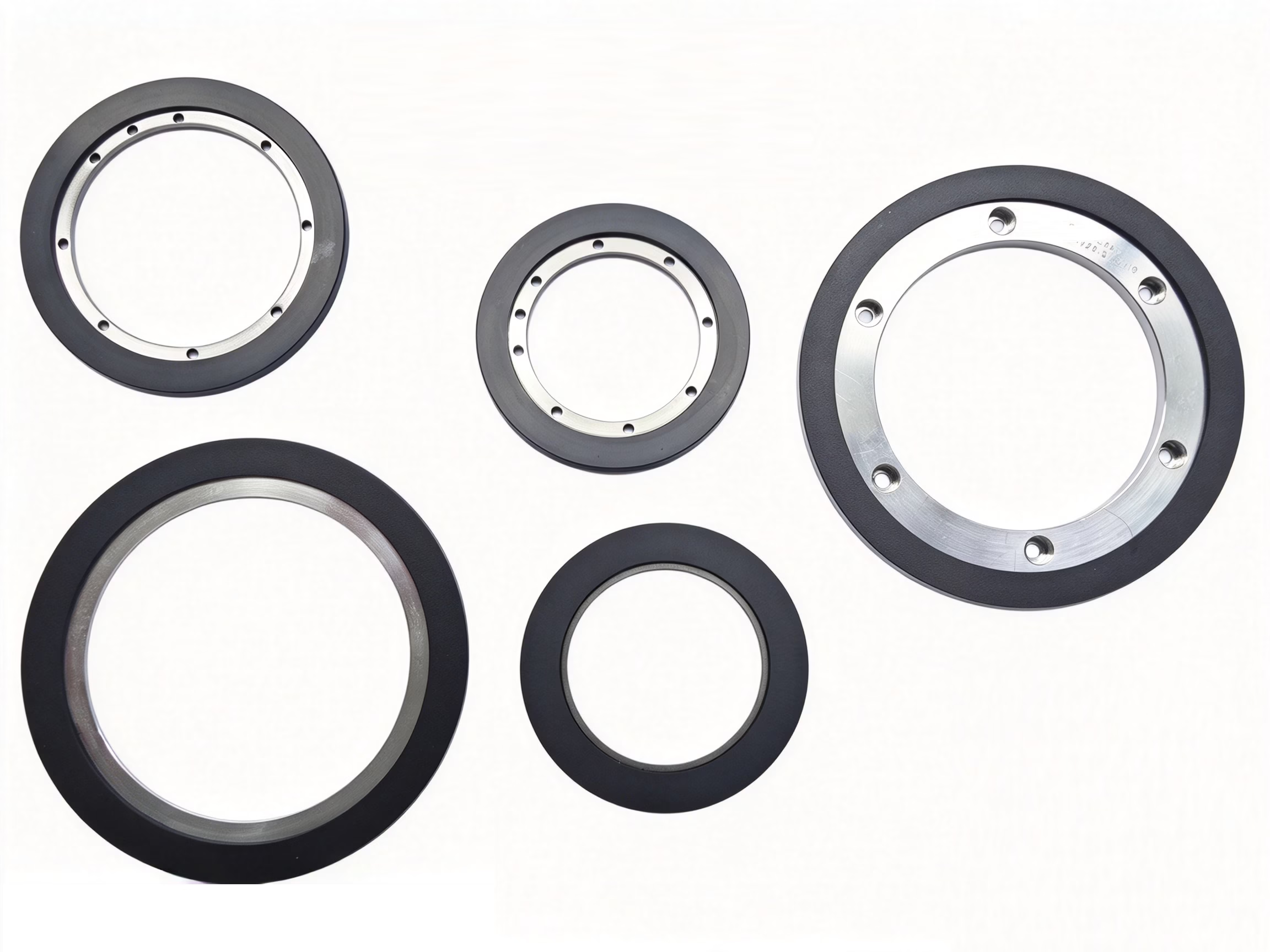 Magnetic Rings & Encoder DisksMagnetic targets for rotary position sensing, with configurations for different layouts.Browse magnetic targets →
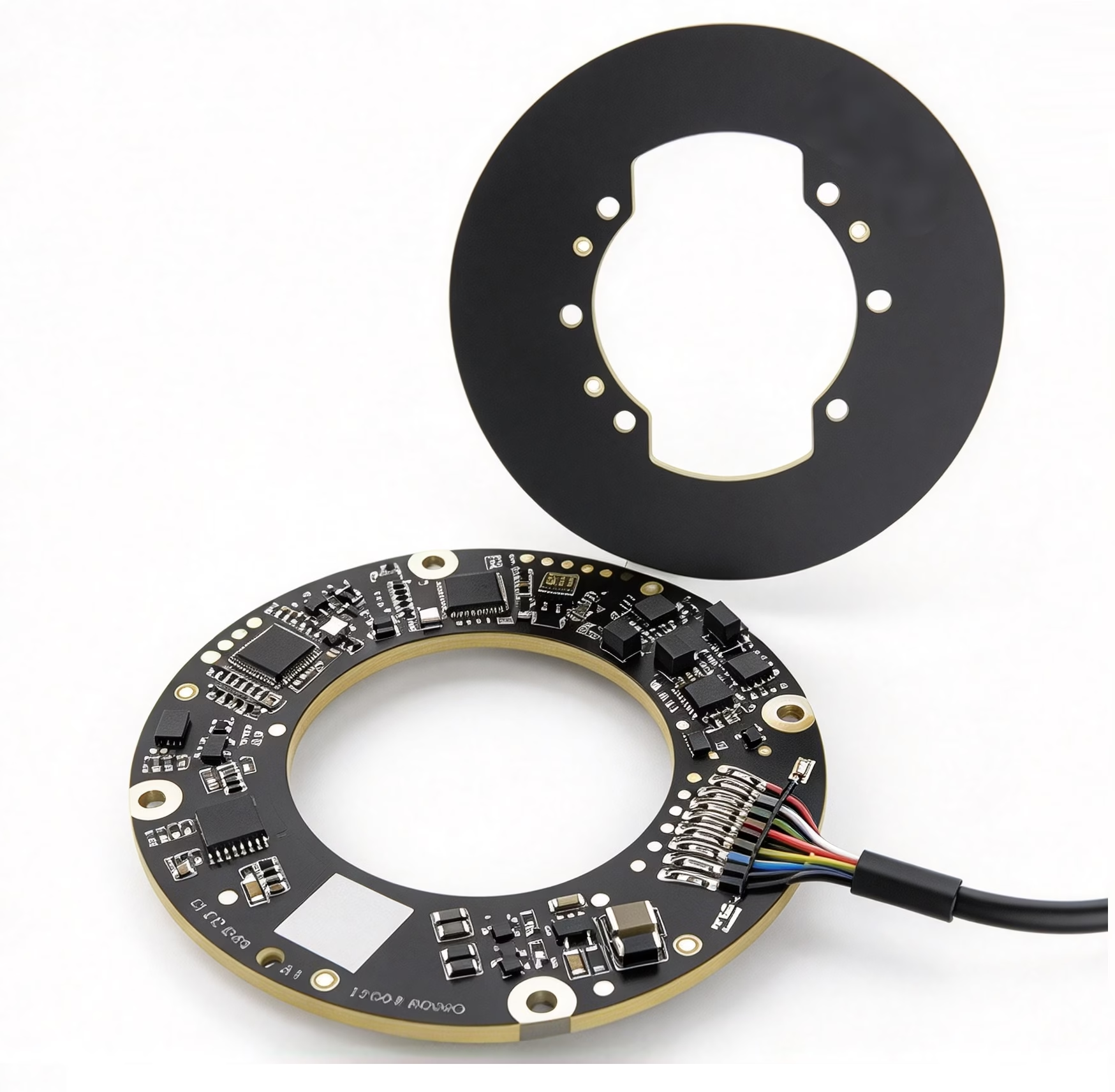 OTV INED SeriesHollow inductive encoder options for applications comparing magnetic and inductive sensing.Compare inductive encoders →
Discuss your hollow-shaft encoder design with OTV Sensing
Share the shaft diameter, required through-bore, target speed, position output, mounting space, and operating environment. OTV Sensing can help review encoder and magnetic target options for your rotary application.